Binario Favicons
So today I set up this hugo blog to test hugo out. First I tried using theme called “Bear Cub” which looked nice and minimalistic, but I got some weird errors with it so I decided to check out some other themes. So, I just picked this theme called Binario next, looked decent, simple and functional. I then spent the next hour configuring it and learning some hugo basics.
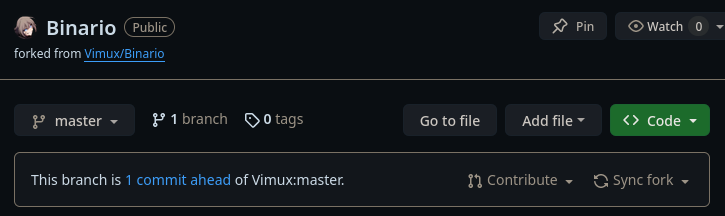
At last I was pretty much done, having set up everything how I liked it, except the favicon. Given how everything about the theme was configured using the config.toml (or hugo.toml) my first thought was of course to check the documentation for the example config and if there was an entry to change the favicon. There was no such thing. The natural next step in finding info is to see whether someone else has had the same issue so I checked the repository for issues and there it was, the first issue of the repository. Great, so there’s the solution to my insignificant problem right there in the issue, right? No, the author just tells everyone to replace the provided icons with your own custom ones. That’s a problem because themes are installed as git submodules thus having your icons actually be able to save to a versioning system such as git requires you to make fork of the theme just to change the icons. You could work around this by having the website to be deployed manually by zipping it and giving the zip to your webhost of choice effectively bypassing the whole versioning system. So why don’t I do that? Because that is extremely inconvenient and I like automation.
So now I have this stupid repository with no changes except icons. Why is that a problem?. Well it’s problem because if there was a config option for it the repository wouldn’t have to exist, and I just hate small things like that.